How to Memorize
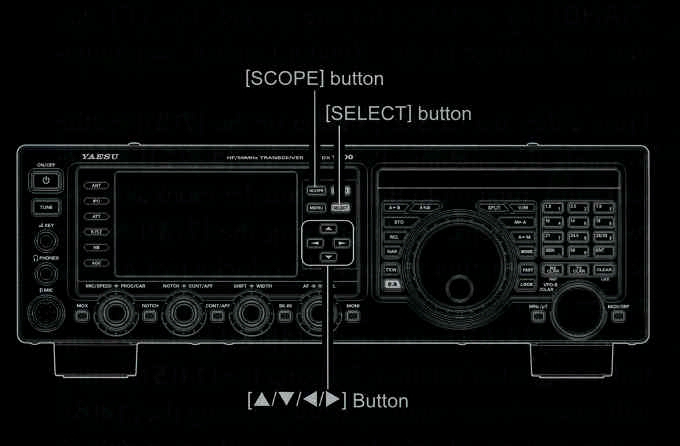
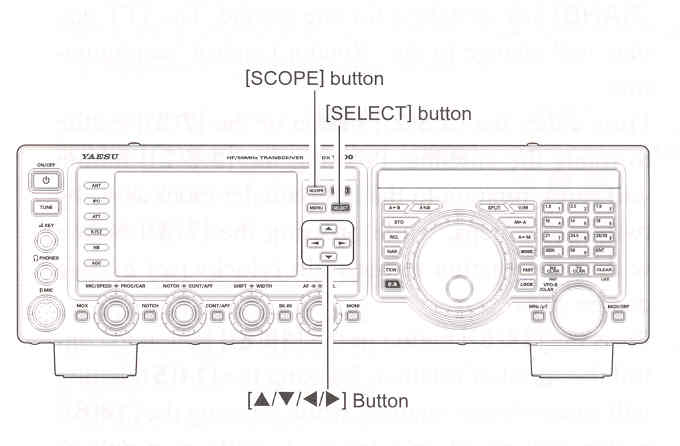
Press and hold the [SELEXT] button for one second to memorize the current scope screen. Up to 10 channesl may be memorized. Once all 10 memories have data have data in them, previous data (starting with channel "1") will be over-written, on a first-in, first-out basis.
Recalling Memorized Screens
- Press the [SCOPE] button several times until the "Spectrum Scope Memory" screen appears.
The last stored scope screen memory will be displayed.
Press the [SCOPE] button to display the screens in the following order:
[Multi-Function] screen --> [Spectrum Scope] screen --> [Full Screen Spectrum Scope] screen --> [Spectrum Scope + AF-FFT] screen* --> [Spectrum Scope Memory] screen --> *When the optional FFT unit is installed.
- Press the [▲/▼/◄/►] buttons to recall the memorized screen you wish.
[▲/►] button: Recalls the memory towards the new memory.
1 -> 2 -> 3 -> 4...... 9 -> 10 -> 1 -> 2...
[▼/◄] button: Recalls the memory towards the old memory.
10 -> 9 -> 8 -> 7...... 2 -> 1 -> 10 -> 9...
- To close the scope screen, press the [SCOPE] button several times until the desired screen appears.
|
Erasing the Memorized Screens
- Recall the scope screen you wish to erase using the [▲/▼/◄/►] button.
- Press and hold one of the [▲/▼/◄/►] button for one second to erase the scope screen. The memory channel is deleted, and the channel numbers, for channels with higher numbers, are decremented.
End of "Scope"
|